24 Hour Weekly Schedule Template for Better Time Management
Staying organized in a busy world is not easy. Between work, family, personal projects, and downtime, hours slip away faster than expected. A 24 Hour Weekly Schedule offers a straightforward way to reclaim control over your time. Instead of guessing where your day went, you get a clear, hour-by-hour map of your entire week. This template is not just a piece of paper—it is a practical tool designed for real life.
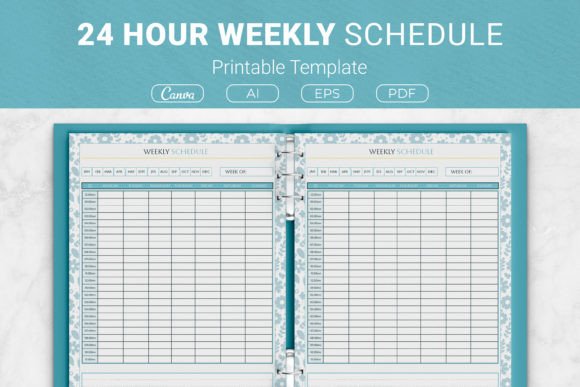
The concept is simple: divide each day into 24 one-hour blocks, then fill them with your activities, tasks, and breaks. What makes this approach powerful is its honesty. You see exactly how much time you spend on sleep, work, chores, and leisure. No more wondering why the week felt short. With a 24 Hour Weekly Schedule, you can spot gaps, adjust priorities, and make intentional choices about how you use every hour.
What Makes This Template Different
Many planners focus on daily to-do lists or monthly overviews. A 24 Hour Weekly Schedule fills a specific need: it gives you a complete weekly snapshot at a glance. You are not flipping pages or jumping between views. One sheet shows Sunday through Saturday, hour by hour. This is especially helpful for people who juggle multiple roles—freelancers, entrepreneurs, educators, or anyone with a mix of fixed commitments and flexible time.
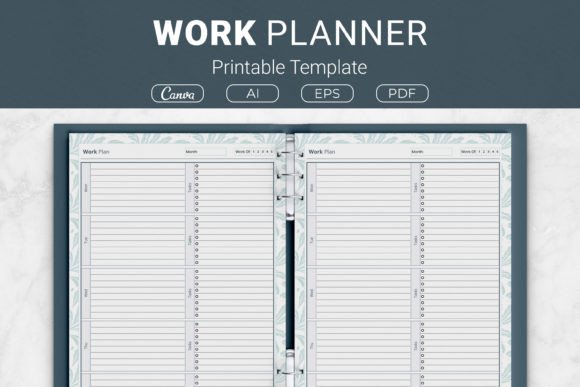
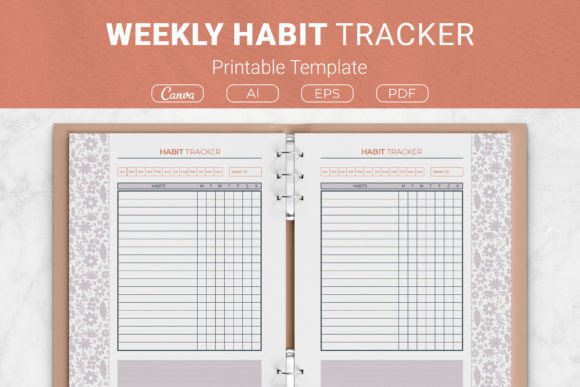
The package includes several file formats, which means you can use it however it fits your workflow. AI and EPS files work for designers who want to customize the layout. PDF files are ready to print at home. There is also a link to Canva templates, so you can edit directly in your browser without special software. This flexibility matters when you want something that works immediately but also allows personal tweaks later.
Available Sizes for Different Needs
Not every planner fits every binder or notebook. That is why this template comes in four sizes. US Letter (8.5 x 11 inches) is standard for most home printers and ring binders. A4 (210 x 297 mm) works well for those outside the US or who prefer a slightly taller page. The 7.5 x 9.25 inch size is compact enough for a smaller binder, while the 6 x 9 inch option is ideal for portable planning or KDP interiors. You can choose the size that matches your existing setup or personal preference.
Who Benefits from an Hour-by-Hour View
Beginners often feel overwhelmed by complex planning systems. A 24 Hour Weekly Schedule removes the clutter. You do not need to learn codes, color systems, or special symbols. Just write or type what you do each hour. This simplicity is also its strength for experienced users who want a fast overview without extra steps.
- Freelancers and remote workers can track billable hours, separate work from personal time, and avoid burnout by scheduling breaks.
- Small business owners can see how much time goes to operations, marketing, client work, and administrative tasks.
- Students and educators can map class times, study sessions, and extracurricular activities without overlaps.
- Hobbyists and creators can protect time for creative work, exercise, or learning new skills.
- Parents and caregivers can coordinate family schedules, appointments, and personal time in one place.
Anyone who has ever said "I don't know where the time went" will find this template eye-opening. The act of filling in the hours forces you to account for everything. After a week or two, patterns emerge. You might notice you spend more time on low-value tasks than you thought. Or you might realize you have more free time than you assumed—just scattered in small pieces.
Practical Ways to Use the Template
Start by printing a few copies or opening the Canva template. Block out fixed commitments first: work hours, classes, sleep, meals, and regular appointments. These are non-negotiable and give you a baseline. Next, add recurring tasks like grocery shopping, exercise, or household chores. Then fill in flexible activities such as projects, social time, or relaxation.
One realistic approach is to plan your ideal week versus your actual week. Use one template to design how you want your time to look. Use another to track what really happens. Compare them to see where adjustments are needed. This exercise alone can improve how you prioritize without adding pressure to be perfect.
Why This Template Works for KDP and Personal Projects
If you are a creator or entrepreneur looking at Kindle Direct Publishing, this template is a ready-to-use interior. The sizes match KDP requirements, and the clean layout means you can add your own branding, cover, and additional pages without starting from scratch. Many self-publishers look for planner interiors that are complete but still customizable. The 24 Hour Weekly Schedule fits that need because it includes open-source AI and EPS files. You can modify colors, add logos, or adjust fonts to match your brand style.
For personal use, the PDF files are the quickest option. Print them at home and keep them in a binder. You can also upload to note-taking apps or print in bulk for a full planner. Because the template is minimal, it does not distract from your actual planning. The focus stays on your schedule, not on decorative elements.
Important Things to Consider Before Using
No single template solves every time management problem. The 24 Hour Weekly Schedule works best when you commit to using it consistently. A printed sheet can get lost. A digital file can be ignored. Decide how you will interact with the template daily. Some people keep it on their desk and fill it in each morning. Others update it throughout the day. Experiment for a week to see what sticks.
Also consider how much detail you need. Writing "work" for eight hours might not be helpful if you want to track specific projects. Add short notes or use categories to make the data more useful. Conversely, too much detail can become tedious. Find a balance that gives you insight without feeling like a chore.
Combining the Template with Other Tools
A 24 Hour Weekly Schedule pairs well with monthly overviews, habit trackers, or goal-setting sheets. Use it as the weekly layer of a larger planning system. For example, set monthly goals, then break them into weekly actions using the hour-by-hour template. At the end of the week, review what worked and adjust for the next one.
Because the template comes in multiple formats, you can also integrate it into digital workflows. Import the PDF into a note-taking app like GoodNotes or Notability. Edit the Canva template and export as images for use in project management tools. The open files give you freedom to adapt beyond basic printing.
Final Thoughts on Getting Organized
Time management does not have to be complicated. A 24 Hour Weekly Schedule gives you a clear framework without overloading you with features you will not use. It meets you where you are—whether you are new to planning or looking for a simpler alternative to digital calendars. The included file options, multiple sizes, and editable formats make it easy to start immediately.
Print a copy, fill in this week, and see what changes. You might discover that awareness alone helps you make better choices. Over time, the template becomes a tool not just for tracking time, but for protecting the hours that matter most to you.